
Premium Report - Tax Reports
Taxes by Jurisdiction, Monthly Tax Summary, Tax Lines
These reports are designed to help you narrow down your Shopify sales by state, country or city (based on either billing or shipping locations), making it much easier to report your sales tax accordingly.
As Premium Reports, these are available on all Paid Plans of Report Toaster. If you aren't signed up, follow these steps here to upgrade your account.
This article will therefore cover how to setup your tax reports in Report Toaster, as well as how to customize them to suit the tax requirements for your individual business.
Let's begin!
Taxes by Jurisdiction
First of all, we'll start off with the Taxes by Jurisdiction report. This report is designed to help you break down all sales and taxes withheld by the corresponding jurisdictions.
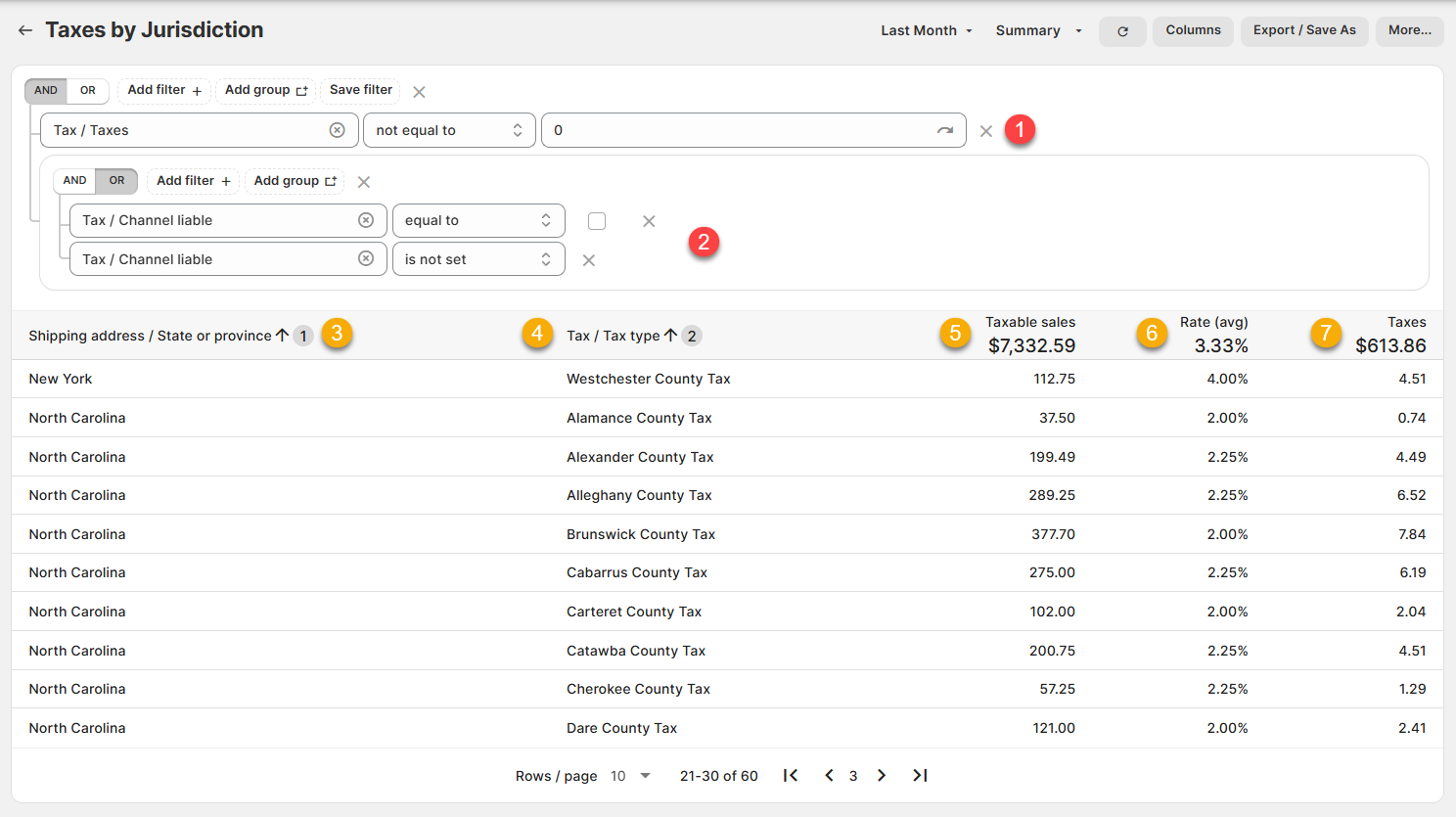
(click image to enlarge)
The breakdown for each of these columns is as follows:
(FILTER) Tax / Taxes, Not Equal to, 0: This filter ensures that only orders that were subject to tax are included in this report.
(FILTER) Tax / Channel liable, equal to, false OR is not set: This filter ensures that marketplace sales (e.g. Tiktok, Etsy) where the marketplace DOES remit taxes on your behalf are excluded from the report.**
Shipping Address / State or province: The State/Province for where this particular tax applies
Tax/Tax type: The name of the particular tax.
Taxable sales: The taxable sales for the jurisdiction. This is the Taxable Net Sales***
Rate: The tax rate for that particular jurisdiction, expressed as a percentage
Taxes: The amount of tax withheld.
** Channel Liable only populates as true/false after we added the field in March 2025. Orders prior to this date will be blank for this field - but contact us at [email protected] and we can recalculate older orders to populate it accordingly.
***Note that many tax authorities will ask for the gross sales (which to them means the amount collected, not including taxes). This is equivalent to the Net Sales field in Shopify.
Note - If your state requires county level information (e.g. North Carolina) then we can provide this for you via a third party service.
Contact us at [email protected] and we'd be glad to get you sorted.
Monthly Tax Summary
This report is designed to provide a high-level summary of your Taxes, telling you the number of orders, Net Sales, Shipping and Taxes (if applicable) for the defined period.
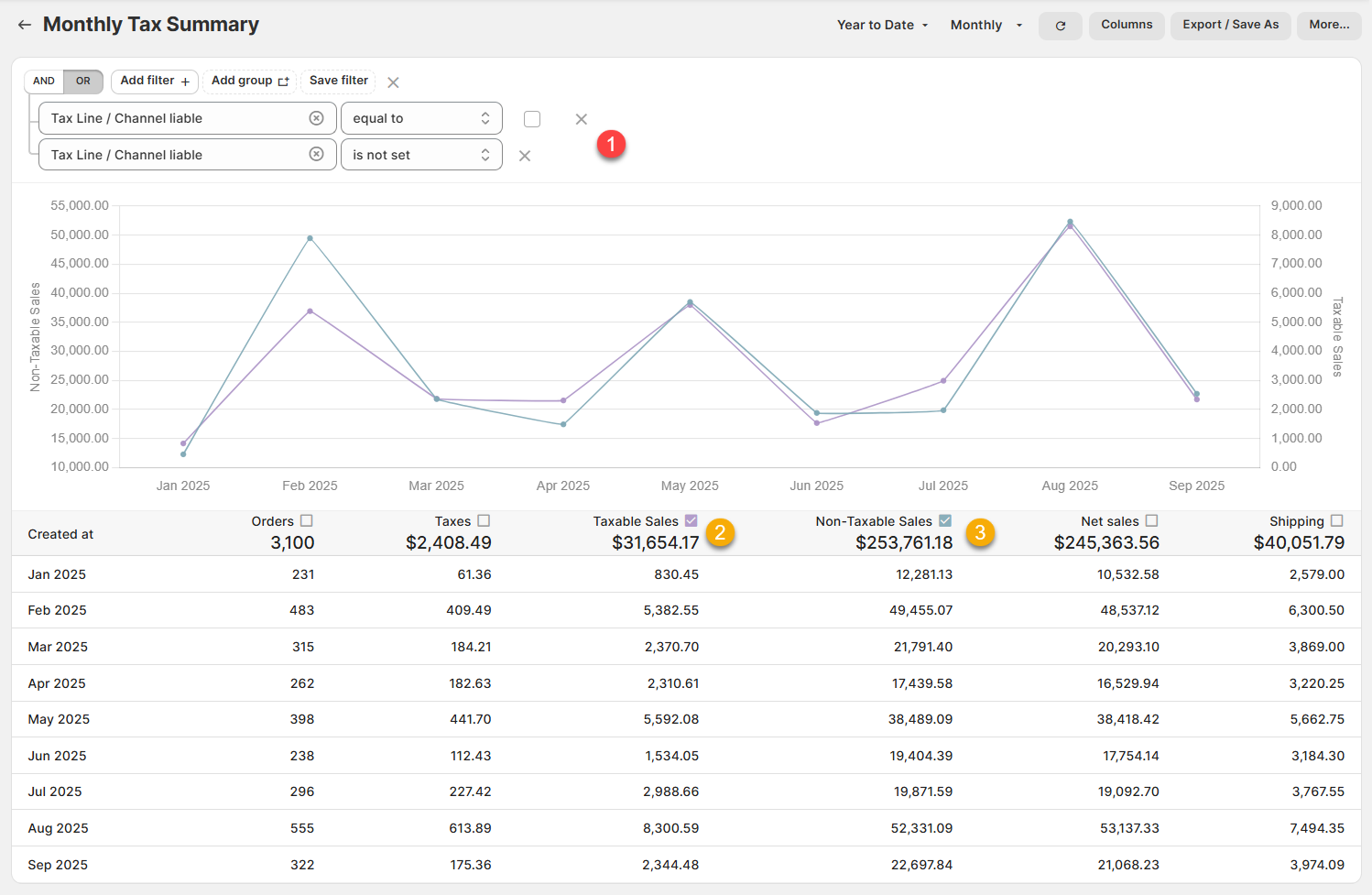
(click image to enlarge)
The breakdown for these columns is as follows:
(FILTER) Tax / Channel liable, equal to, false OR is not set: This filter ensures that marketplace sales (e.g. Tiktok, Etsy) where the marketplace DOES remit taxes on your behalf are excluded from the report.
Taxable Sales: The total taxable sales numbers for each month to report to states for which you have a nexus.
Non-Taxable Sales: The total non-taxable sales numbers for each month. This includes any sales that are not subject to tax (whether due to being exempt products or due to being sold in states where you lack a nexus)
Note that some states require taxes to be collected on Shipping. If so, the total shipping amounts that were taxed/non-taxed will appear in each of these columns respectively.
Tax Lines
Finally, this report gives you the most granular view possible by providing the tax details on an order by order basis.
Most of the time, your tax reporting obligations will focus on the total amounts, so we would typically recommend using the Taxes by Jurisdiction or the Monthly Tax Summary reports respectively.
However, this report is useful if you are looking at the details for a specific order, or want to troubleshoot where you think the numbers aren't matching your expectations.
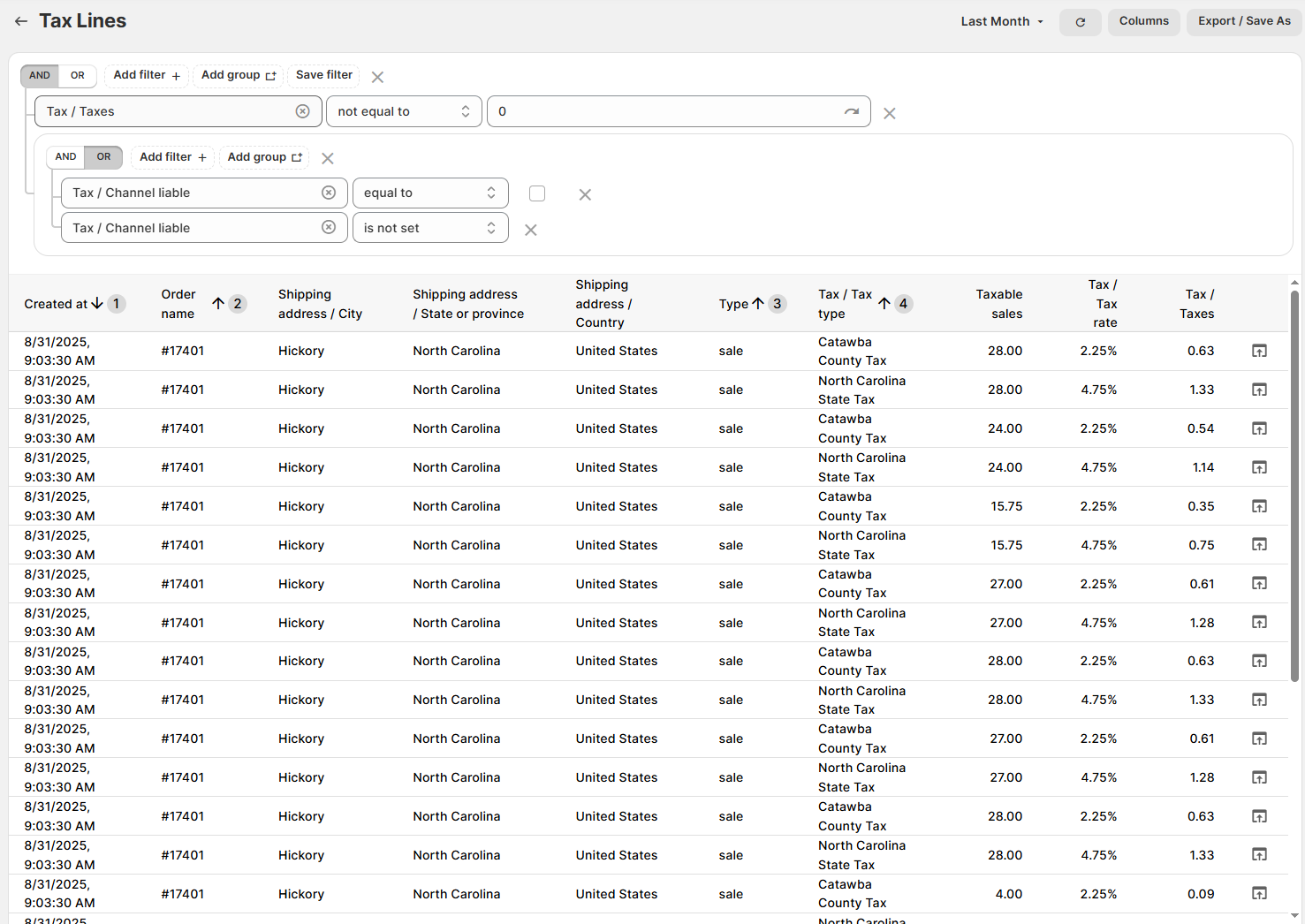
(click image to enlarge)
Like all Report Toaster reports, these reports are fully customizable - so you can adjust the date range, add/remove columns, introduce a filter or change the sort to suit your individual needs. See our basic guides here for more info.
For other premium reports you can add to your account, check out our other article guides here.